I bit the Meshtastic Apple
Meshtastic is an open source and fun long range radio project for off grid communications. Over the last two weeks I've had the opportunity to try out some of the features using 3 Sensecap T1000-E trackers, which are credit card sized radios that connect to your phone via bluetooth (BLE) or your computer via USB or BLE.
The technical foundation are low frequency radio bands which you don't need a license for (unlike HAM radio). I had previously mentioned Meshtasic when I became aware of it here: Internet Resilience Clubs and now finally found some time and practical enough device to start experimenting.
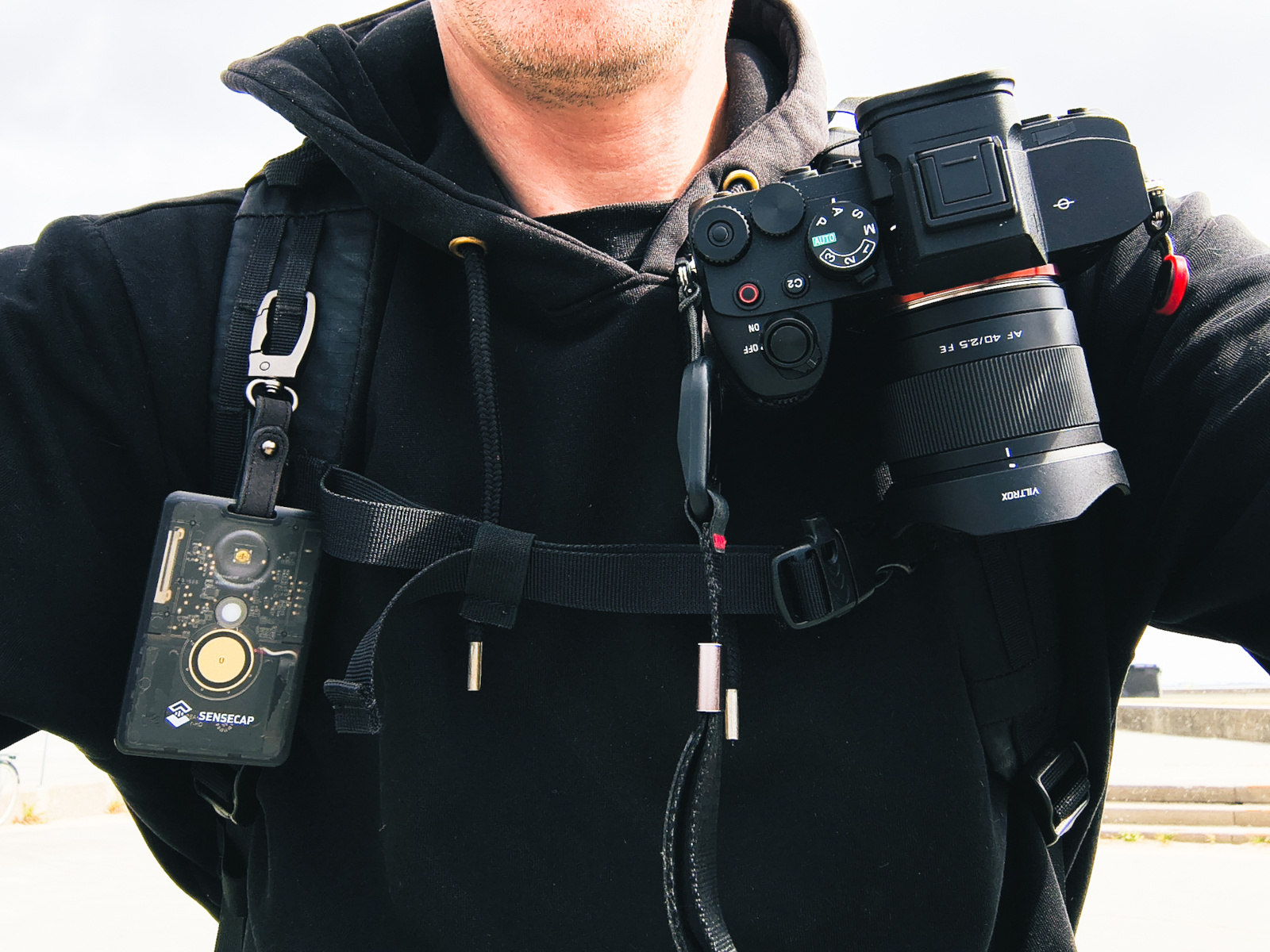
Most distributors sell the Sensecap T1000E with a little hook that lets you carry it around more conveniently so you don't have to dedicate a pocket to it and accidentally press the button or something.
I took the tracker to work, headed up to the 6th floor roof terrace to see if I would get any other node connections (success, I could send a message home) and stuck them in the hands of my mesh-curious co-workers so they could see if this was a topic of interest to them.
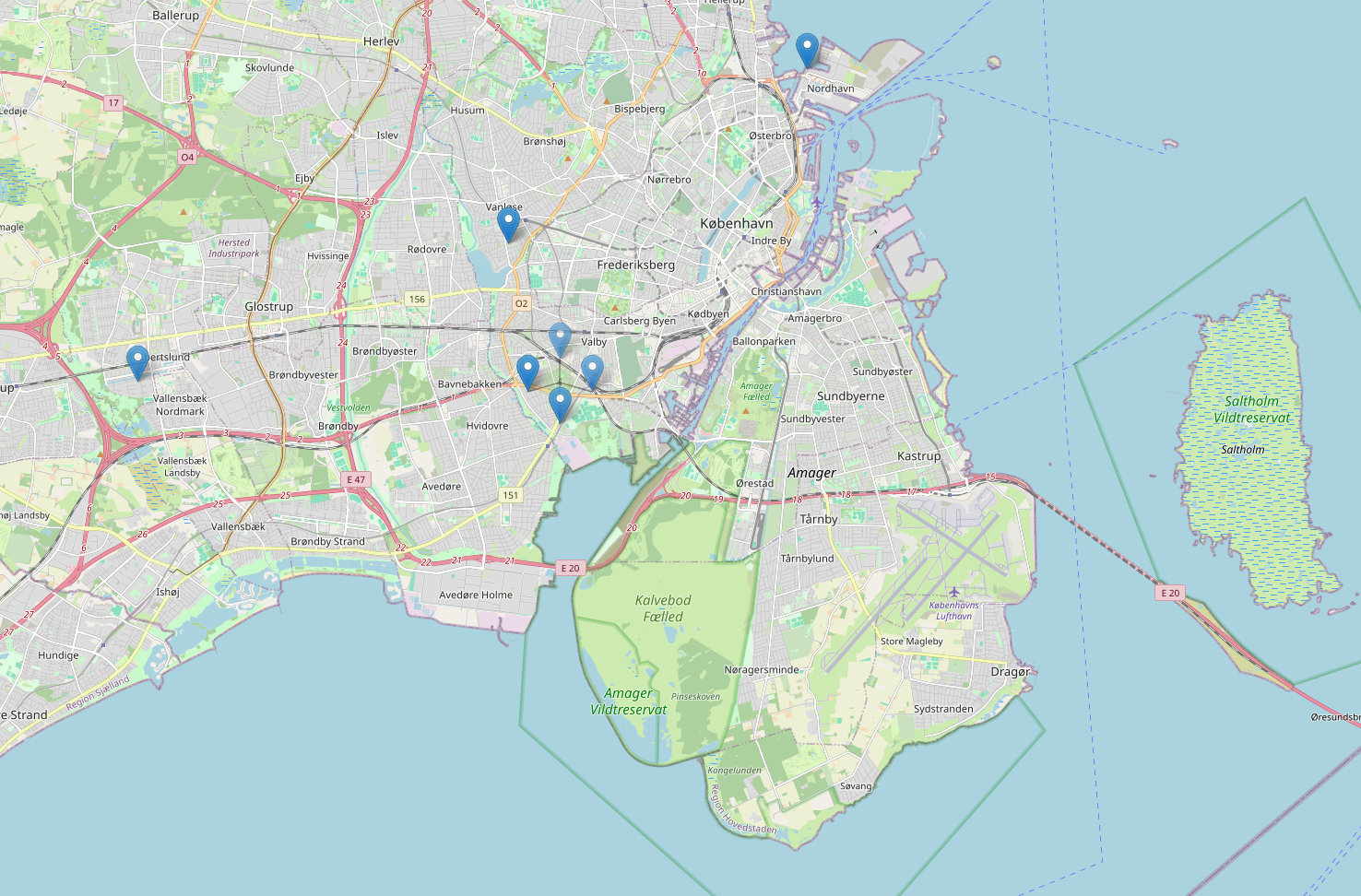
When I looked at the meshmap, I did not have great hopes for finding more than 3 people using meshtastic in Copenhagen, however over the last two weeks I discovered 125 nodes, most of them in the larger Copenhagen area, which was a little mind blowing.
Note: I discovered that the meshmap only records nodes that have MQTT (basically an internet supported extension to discover users or forward messages) enabled, which most of the CPH ones probably don't.
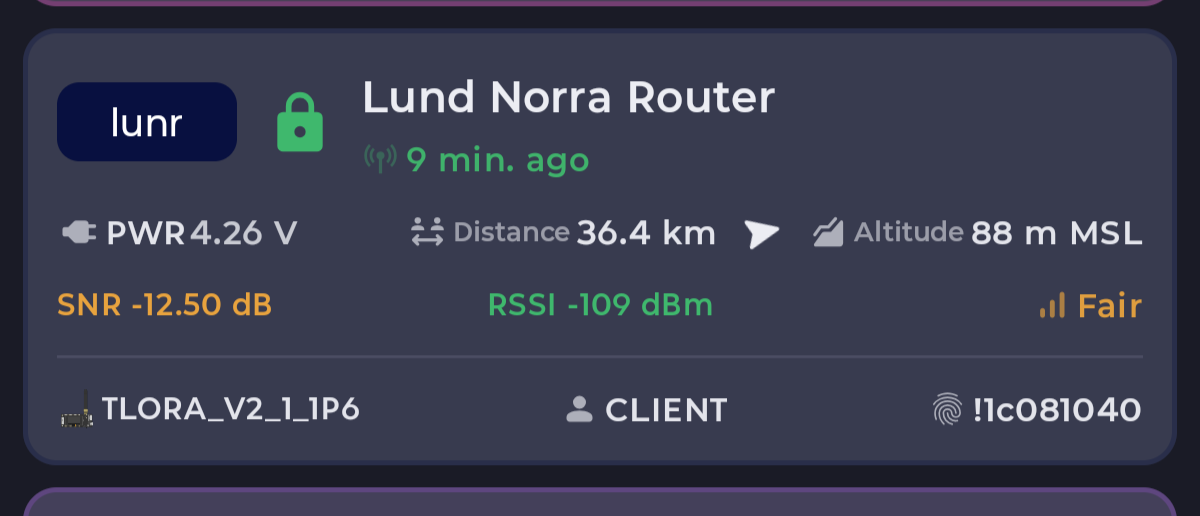
When we went to the beach facing Sweden, I got a direct connection to some (assumption) roof mounted router in a city 36 kilometers away, which was exciting!
Messaging
Pro tip for anyone starting out:
Buy at least two devices
If you don't know anyone who's already meshing around (haha!) and you can't stick one on your partner or friend, it's going to, most likely, be tedious to test.
When hiking in the Swedish countryside hills around Söderåsen national park we could also still text without line of sight, but otherwise discovered no local nodes.
You can either participate in the public (by default LongFast) which isn't very populated around Copenhagen. People say "Hi" once in a while, but I'm assuming that they (like us) either message a specific other node or talk in their private and encrypted channels that sort of require an invite via pre shared key or QR code.
GPS Track Export
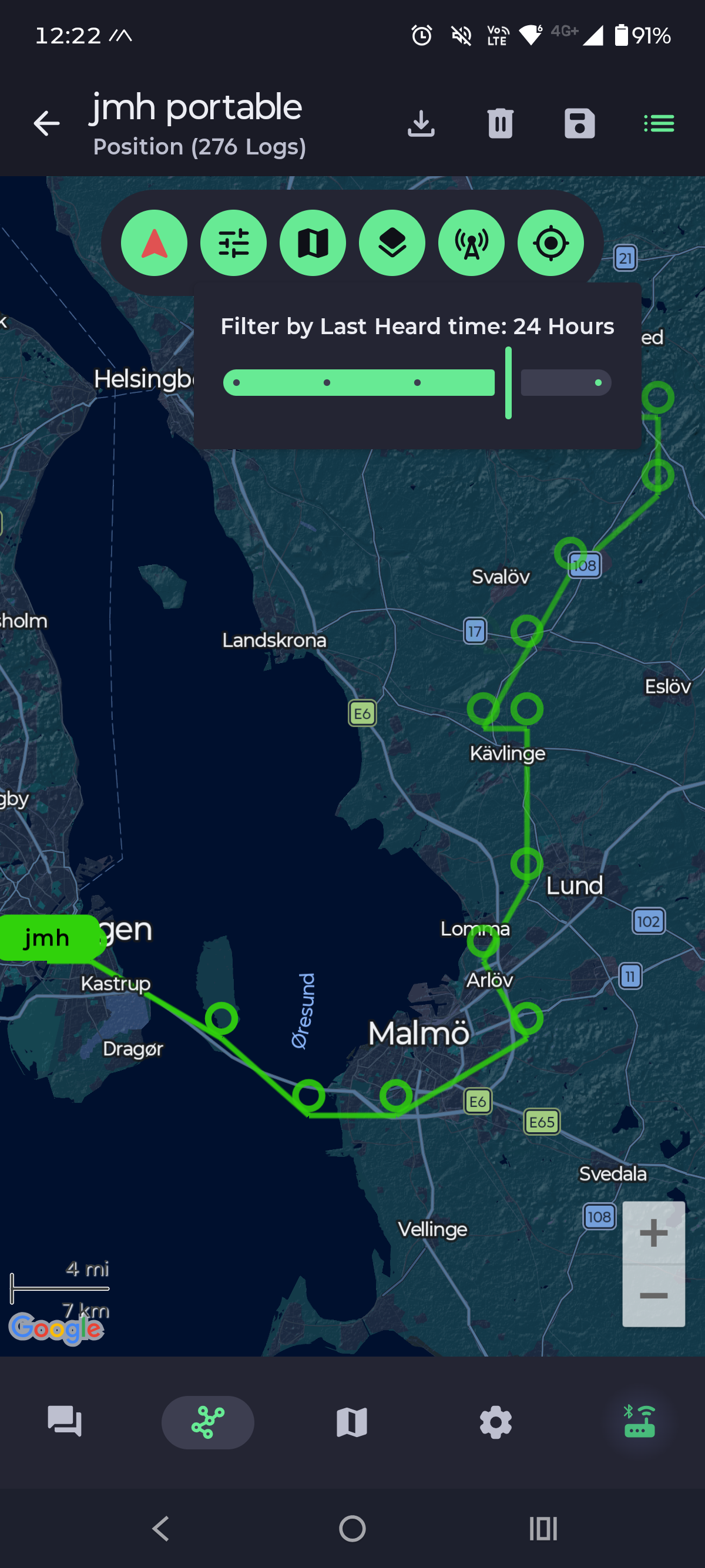
Given your Meshtastic compatible LoRa device has a GPS antenna, you can export your tracks as GPX or a "position.csv" from the app, which you can use to geo-tag your photos or just look at your journey on the map.
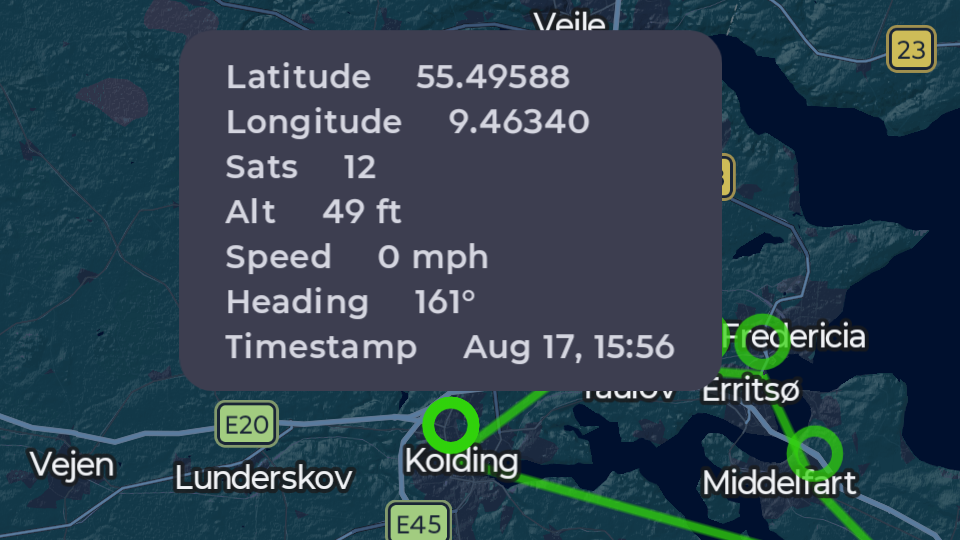
Pressing the little dots on the map will give you additional details for the coordinates and heading:
Example of a csv export (abbreviated):
"date","time","latitude","longitude","altitude","satsInView","speed","heading"
"2026-08-21","20:11:24","55.600742399999994","12.7664128","5","25","99","309.53"
"2026-08-21","20:05:16","55.5483136","12.8712704","21","22","95","277.12"
"2026-08-21","19:59:08","55.5483136","12.976128","19","24","103","268.71"
Example of a gpx export (abbreviated):
<?xml version="1.0" encoding="UTF-8"?>
<gpx version="1.1" creator="Meshtastic" xmlns="http://www.topografix.com/GPX/1/1">
  <trk>
    <name>name of your mesh node here</name>
    <trkseg>
      <trkpt lat="55.6531712" lon="12.5566976">
        <ele>-7</ele>
        <time>2026-08-21T18:22:37Z</time>
      </trkpt>
      <trkpt lat="55.6531712" lon="12.6091264">
        <time>2026-08-21T18:16:59Z</time>
      </trkpt>
      <trkpt lat="55.6007424" lon="12.7664128">
        <ele>5</ele>
        <time>2026-08-21T18:11:24Z</time>
      </trkpt>
      <trkpt lat="55.5483136" lon="12.8712704">
        <ele>21</ele>
        <time>2026-08-21T18:05:16Z</time>
      </trkpt>
    </trkseg>
  </trk>
</gpx>
Meshtastic vs MeshCore
Although working on the same frequencies, the two projects have different networking strategies to propagate messages. This also means that you can use the same devices, but not at the same time, as they will require either the meshtastic or meshcore firmware.
MeshCore is a little more like a traditional network, where some devices repeat and route messages to the desired recipient. With Meshtastic, messages are repeated by all clients that come across them and flooded on to nearby nodes until the max amount of forwards (hops) is reached.
I wouldn't exactly call them competing projects, they just enforce different topologies on the same frequency. For festivals or concerts with your friends where cell towers might be a bit challenged, I'd recommend meshtastic. If you're trying to cover a large area with long range communication and many participants (like a city), I'd probably explore MeshCore.
Troubleshooting
My general recommendation is to keep the audio buzzer on for things that are not incoming messages or discovered nodes, because it makes the operation of the T1000-E more intuitive and you can clearly hear when you turn off the device via long press.
Firefox
Don't try to use Firefox to flash firmware or use the meshtastic web client that connects via Bluetooth or USB, the APIs are only supported in Chromium based browsers.
Arch Linux
In the official meshtastic docs for connecting a radio to your computer via the USB cable, you will come across this command:
sudo usermod -a -G dialout $USER
which will yield
usermod: group 'dialout' does not exist
because for reasons unknown to me on Arch (and derivatives like Manjaro), the group is actually called uucp and you need to run
sudo usermod -a -G uucp $USER
What's Next?
I'll be a little more active on the mesh when taking longer walks with the dog and try to poke around the public channel if anyone is listening. I got a tiny bug fixed in the Node.js implementation of using a mesh node via the computer and contemplating preparing a little talk (the thing with the slides where people stare at you while you talk) on the subject.
Also I have not played with the MQTT settings and it would be very exciting having an MQTT server connecting our friends in different cities with our respective local meshes.
Let me know about your mesh questions, experiences or devices via the platforms below or send me an email ❤️.